API keys
You can use API keys to programmatically access Tower's APIs, and in general you can access any endpoint with an API key.
How to create an API key
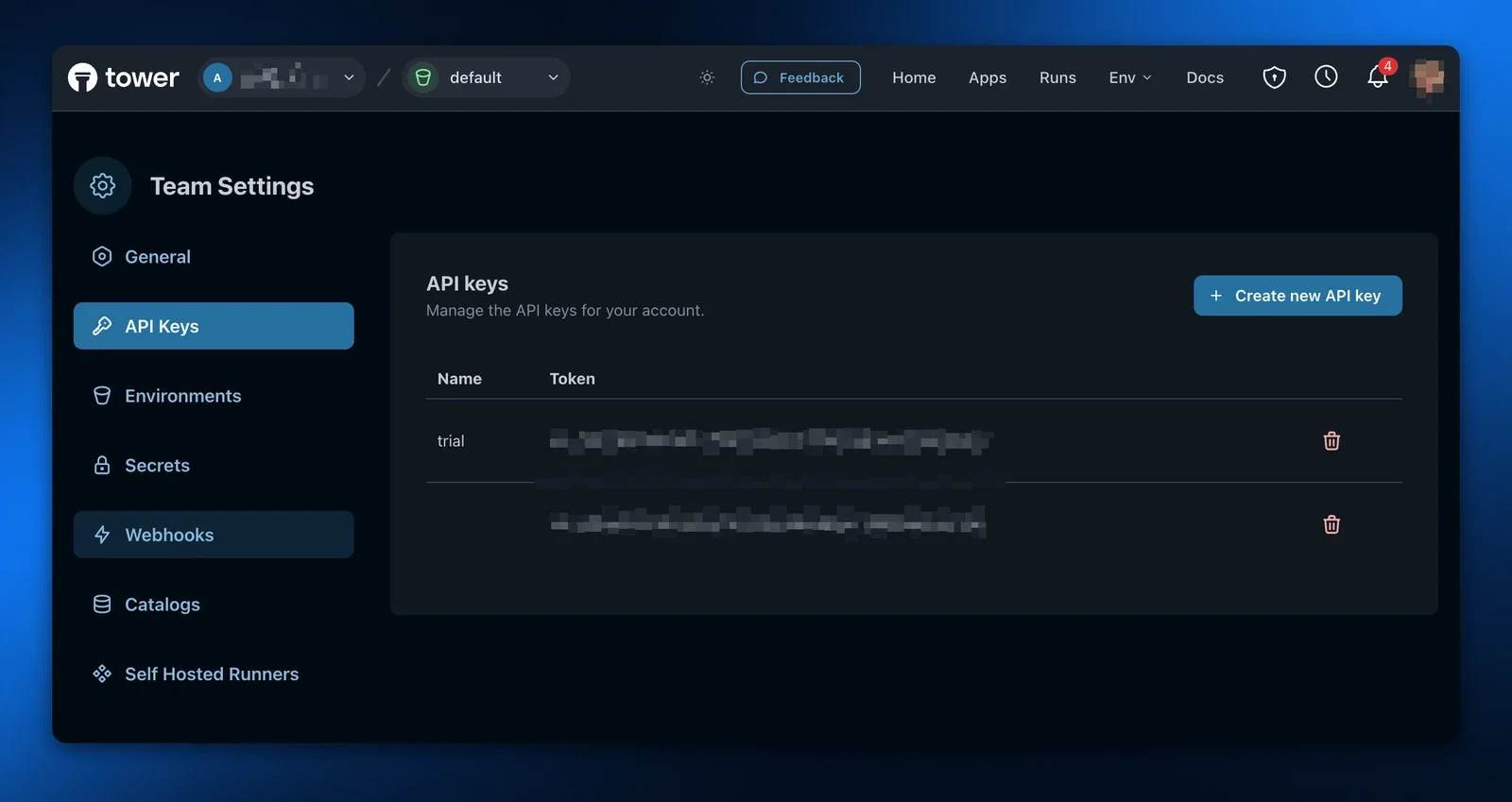
To create an API key, go to your team settings, then to API Keys, and click Create new API key.
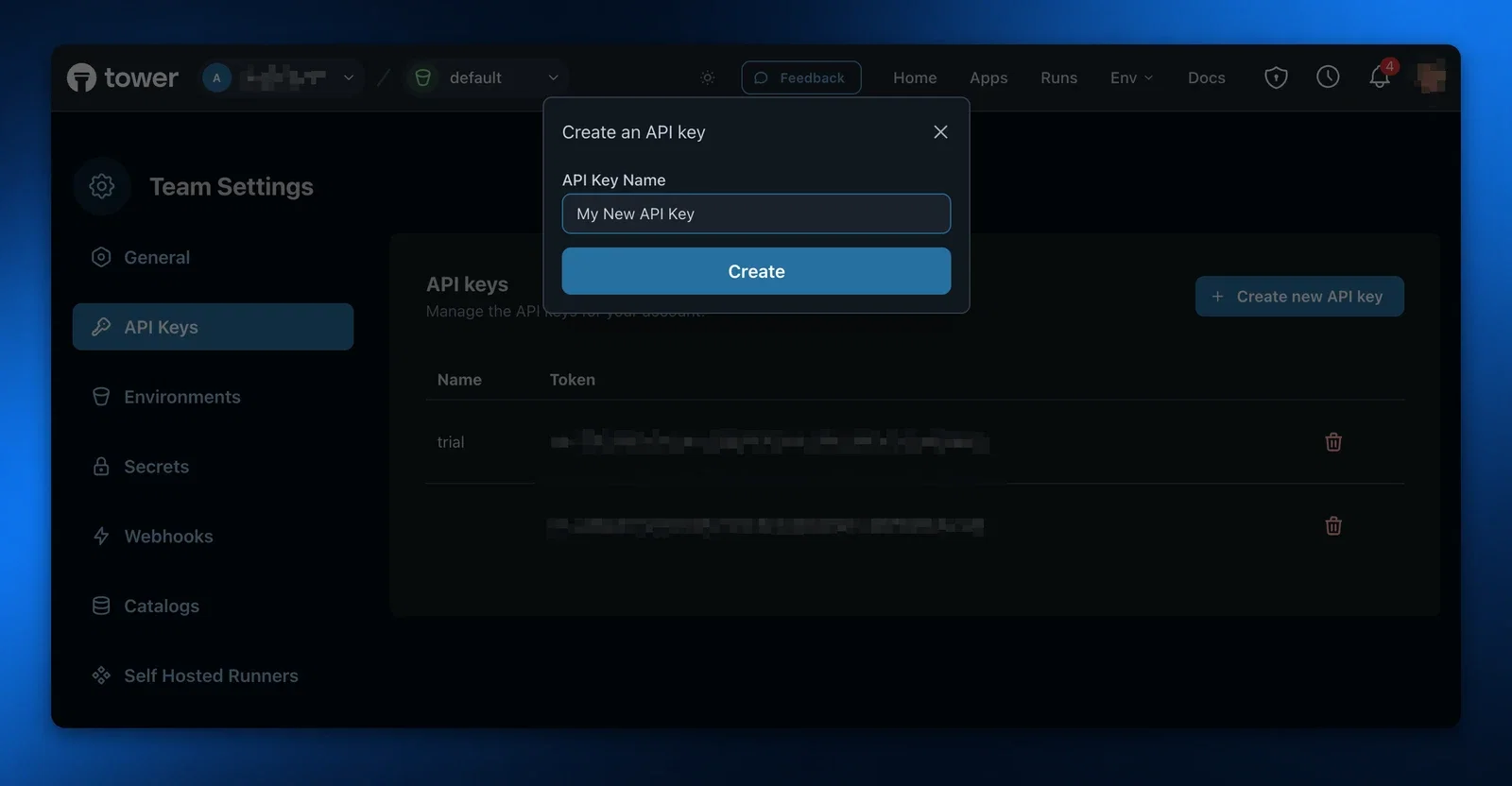
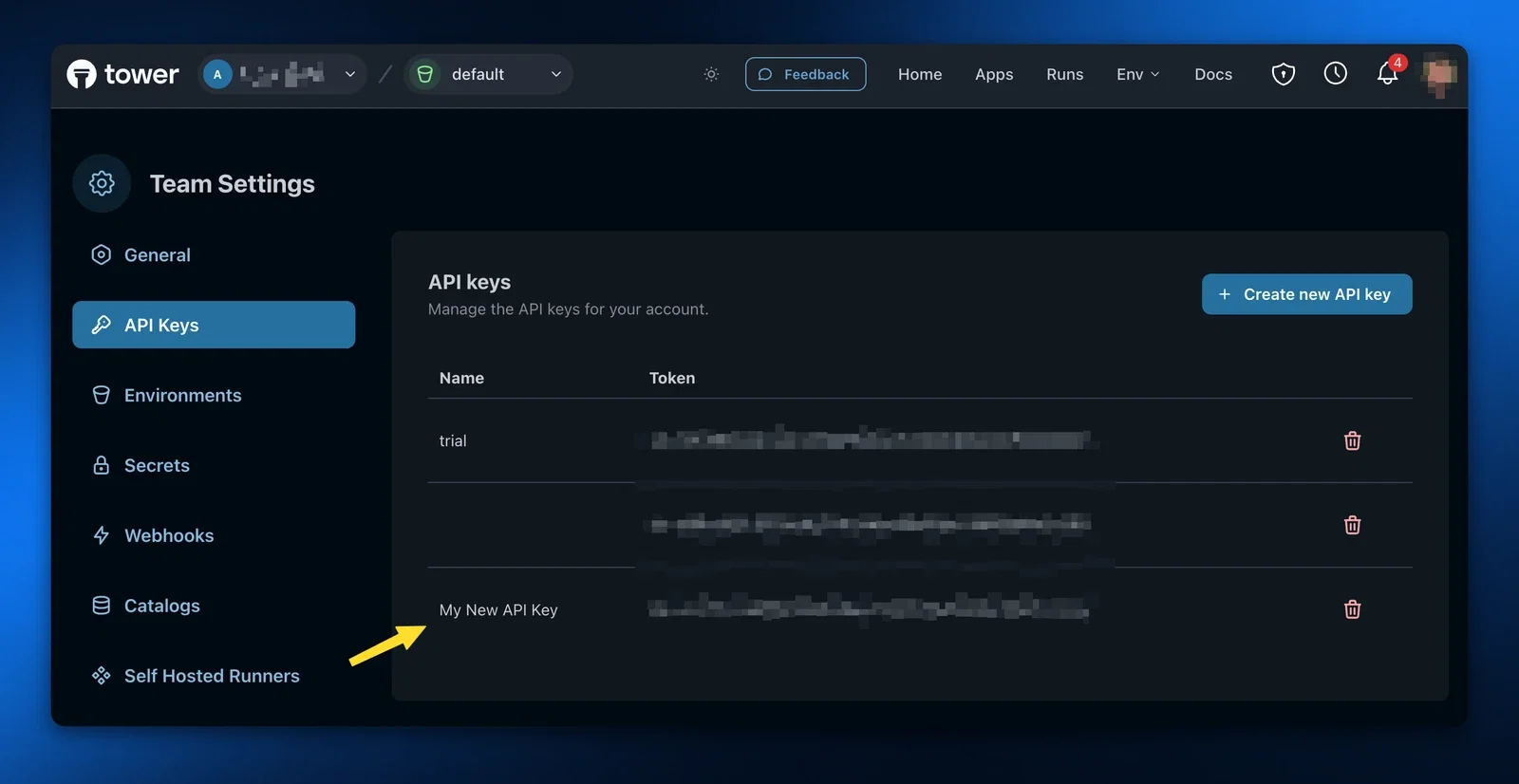
After giving it a name, and clicking Create, you'll see your new key in the table.
How to use an API key
You can use the API key by adding it to the X-API-Key header of any Tower API request. Note that all Tower API keys are prefixed with sk-.
Example
curl 'https://api.tower.dev/v1/apps' \
-H 'X-API-Key: sk-FAKE+0gUsddrrdNawuhd4NHCaSN/63YXPIG7aZ3kxjT0'
Each Tower API endpoint has a scope that your API key must have to perform the action, which is listed on the API documentation pages under the Authorization section. If your API key does not have the correct scope you'll receive a 403 Forbidden in response.
Reducing the scope of the API key
By default, API keys are created with the permissions from the account that created them; if you create an API key as an account with the Admin role, the API key will also have the Admin role.
However, in some cases you may want to create API keys with a reduced set of privileges, such as when you know the API key should only be used for specific actions. You can create a reduced permission API key using the create-api-key API, passing scopes as a parameter in the body. See Available scopes for a list of scopes you can provide, and note that you can't create an API key with more privileges than your current account.
curl 'https://api.tower.dev/v1/api-keys' \
-H 'Content-Type: application/json' \
-H 'Accept: application/json' \
-H 'X-API-Key: sk-FAKE+0gUsddrrdNawuhd4NHCaSN/63YXPIG7aZ3kxjT0' \
-d '{
  "name": "Can only perform runs",
  "scopes": "apps:run"
}'
See the Create API Key documentation for more details about how to create API keys, including about other parameters like team.
Available scopes
The following is a list of available scopes you can add to an API key.
| Key | Description |
|---|---|
api_keys | Access to all API key operations. |
api_keys:read | Read access for API keys. |
api_keys:create | Create access for API keys. |
api_keys:delete | Delete access for API keys. |
apps | Access to all apps operations. |
apps:read | Read access for apps. |
apps:run | Allows the API to run apps. |
apps:deploy | Allows the API key to be used to deploy a new app version. |
apps:create | Create access for apps. |
apps:update | Update access for apps (e.g. renaming app). |
apps:delete | Delete access for apps. |
catalogs | Access to all Tower catalog operations. |
catalogs:read | Read access for catalogs. |
catalogs:create | Create access for catalogs. |
catalogs:update | Update access for catalogs. |
catalogs:delete | Delete access for catalogs. |
catalogs:export | Export access for catalogs. |
envs | Access to all environment operations. |
envs:create | Create access for environments. |
envs:read | Read access for environments. |
envs:update | Update access for environments. |
notifications | Access to all notification operations. |
notifications:read | Read access for notifications. |
notifications:delete | Delete access for notifications. |
runs | Access to all run operations. |
runs:read | Read access for runs. |
runs:cancel | Allows for canceling an active run. |
runs:logs | Read access for run logs, including the stream of logs. |
runners | Access to all self-hosted runner operations. |
runners:read | Read access to runners. |
runners:credentials:create | Allows for creating credentials for self-hosted runners. |
sandbox | Access to all Tower sandbox operations. |
sandbox:secrets:create | Allows for creating a new secret in a sandbox. |
schedules | Access to all schedules operations. |
schedules:create | Create access for schedules. |
schedules:read | Read access for schedules. |
schedules:update | Update access for schedules. |
schedules:delete | Delete access for schedules. |
secrets | Access to all secrets operations. |
secrets:read | Read access for secrets. |
secrets:create | Create access for secrets. |
secrets:update | Update access for secrets. |
secrets:delete | Delete access for secrets. |
teams | Access to all team operations. |
teams:create | Create access for teams. |
teams:read | Read access for teams. |
teams:update | Update access for teams. |
teams:delete | Delete access for teams. |
webhooks | Access to all webhooks operations. |
webhooks:read | Read access for webhooks. |
webhooks:create | Create access for webhooks. |
webhooks:update | Update access for webhooks. |
webhooks:delete | Delete access for webhooks. |